


Where to Put Your Bitaxe: Placement, Airflow and Noise for 24/7 Solo Mining
The best place for a Bitaxe is an open, hard, stable surface with clear air around the fan and heatsink, away from direct sun and other heat sources, out of…
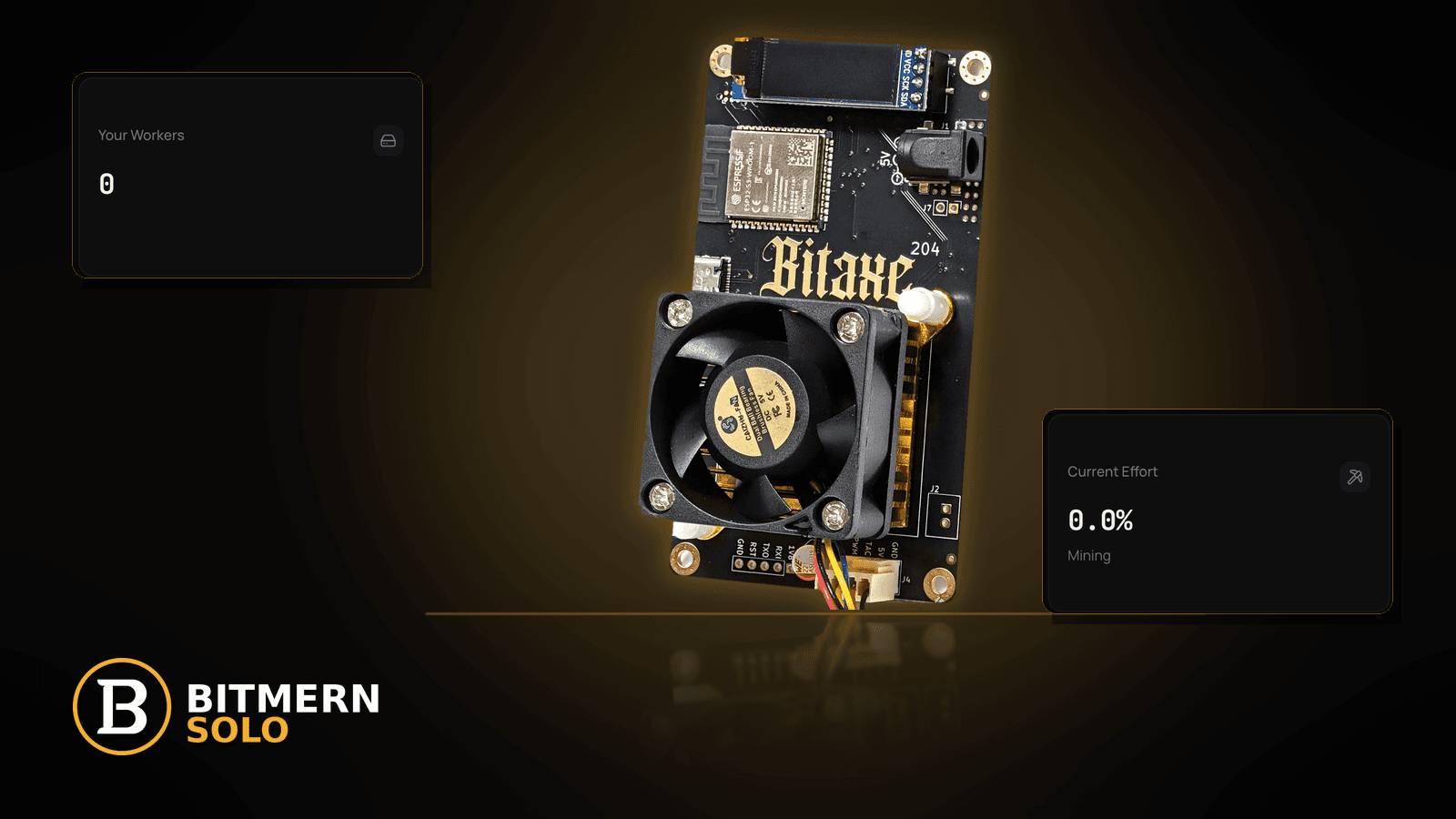
A Bitaxe is small enough to sit almost anywhere, which is exactly why so many end up in the wrong place. Pushed to the back of a bookshelf, wedged behind a monitor, parked on a carpet, or left on a sunny windowsill, the same board that hashed happily on a test bench starts running hot, dropping Wi-Fi, or keeping someone awake. Most "my miner got worse" stories that are not firmware or network problems turn out to be placement problems.
The best place for a Bitaxe is an open, hard, stable surface with clear air around the fan and heatsink, away from direct sun and other heat sources, out of dusty corners, with a firmly seated power connection, a solid Wi-Fi signal (or Ethernet where your setup supports it) at that exact spot, and far enough from where people sleep or work that the fan noise does not bother anyone. Fan behaviour differs by model and firmware version, so judge noise by ear in your own room. After every move, confirm on the matching Bitmern Solo coin tab that the worker reappears and fresh shares are accepted. Keep BTC easy-start host btc.bitmernsolo.com with port :3132 (never treat :3102 as the Bitaxe / home default), username WALLET.worker, password x. Current Effort is not a find guarantee.
This is the "where do I put it" lane. If your miner is already throttling, go to the temperature throttle fix. If the problem is signal quality, see 2.4 GHz vs 5 GHz Wi-Fi and Wi-Fi drops on stratum. If it reboots, start with USB power / brownout.
Bitmern Solo is solo infrastructure: flat 1% fee on finds only, you keep 99%. Nothing in this post is financial advice, and nothing here promises a find.
Why placement matters more than people expect
A home solo miner runs around the clock, every day. Small environmental problems that would not matter for a gadget used an hour a day add up when the device never stops:
- Heat. A Bitaxe turns almost all the power it draws into heat. If that heat has nowhere to go, the board warms its own air, the fan works harder, and firmware may reduce performance to protect the chip.
- Dust. A fan pulls air — and whatever floats in it — across the heatsink all day. Corners, floors and the space behind TVs collect dust fastest.
- Signal. Wi-Fi that is fine on your phone in the doorway can be marginal in a cupboard behind a wall. A miner needs a steady stratum connection, not just "a few bars".
- Power. A cable that is tugged, bent, or half-seated becomes an intermittent fault that looks like a software problem.
- People. A constant fan is easy to ignore in a home office and hard to ignore next to a bed.
Getting the spot right once saves you from chasing most of those symptoms later.
Ordered "where do I put my Bitaxe" checklist
Work through these in order. Each step either keeps the miner healthy or rules out a common cause before you start troubleshooting settings.
1. Start with an open, hard, level surface
Symptom: The miner sits on carpet, a bed, a sofa arm, a stack of paper, or inside a closed cabinet.
Fix: Put it on a hard, flat surface — a desk, a sturdy shelf with open sides, or a small stand. Soft surfaces can block air paths and trap heat underneath the board. Closed cabinets and drawers recirculate the same warm air. If you like it tidy, an open wire shelf is usually a better compromise than an enclosed box.
2. Give the fan and heatsink clear space
Symptom: The fan side faces a wall, a monitor, or another device a short distance away.
Fix: Leave generous clearance on the intake and exhaust sides so the fan can pull in room air and push warm air away. Do not point the exhaust of one device into the intake of another. If you run more than one miner, space them so they are not breathing each other's exhaust — see the multiple Bitaxe fleet guide. There is no magic distance that suits every room; the rule is simply "nothing blocking the airflow path".
3. Keep it out of direct sun and away from heat sources
Symptom: It works in the morning and struggles in the afternoon.
Fix: Move it away from windowsills, radiators, heaters, the back of a fridge, a games console exhaust, or the top of a router or NAS that runs warm. Sunlight moving across a room during the day is a classic cause of "performance drops at the same time every afternoon". The cooler and steadier the air around the miner, the less work the fan has to do. If you already see throttling, follow the temperature throttle fix.
4. Avoid dusty corners and floor level
Symptom: The heatsink fins look grey after a few weeks.
Fix: Raise the miner off the floor and away from corners where dust settles. Rooms with pets, carpets, or open windows to a busy road collect more. Add a quick look at the fan and fins to your weekly miner health check, and clean gently with the miner powered off and unplugged, following the board maker's guidance.
5. Make the power connection boringly stable
Symptom: Random reboots, worker going offline for a minute, then back.
Fix: Route the power cable so it is not pulled tight, bent sharply at the connector, or in a walkway where it gets kicked. Make sure the plug is fully seated at both ends. Use the power supply type and rating your board's documentation recommends, and follow the manufacturer's guidance for the supply and any power strip you use. Avoid loose USB or barrel connections that move when someone touches the desk. Reboots that follow load or cable movement are covered in USB power / brownout.
6. Test the signal at the exact spot, not the doorway
Symptom: The miner connects on the bench, then drops or reconnects in its final location.
Fix: Walls, metal shelving, mirrors, aquariums, and the back of a TV all weaken Wi-Fi. Before you commit to a spot, check the signal there — many people simply run the miner in place for a day and watch the dashboard. Most Bitaxe boards connect over 2.4 GHz Wi-Fi; if your router merges bands, read 2.4 GHz vs 5 GHz Wi-Fi and smart connect Wi-Fi. If the spot is far from the router, moving the miner a little closer often beats any setting change.
7. Consider Ethernet if your setup supports it
Symptom: The best spot for heat and noise is the worst spot for Wi-Fi.
Fix: If your miner or an adapter supports a wired connection, Ethernet removes signal strength from the equation entirely. The trade-offs are covered in Ethernet vs Wi-Fi. If wired is not an option, a well-placed access point usually works better than a long chain of extenders — see mesh Wi-Fi and extenders.
8. Decide where the noise is acceptable
Symptom: Someone in the house asks you to "turn that thing off" at night.
Fix: A Bitaxe fan runs all the time, and its speed depends on the model, the firmware version, the fan settings, and how warm the room is. That means two identical-looking boards can sound different in different rooms. Practical rules:
- Bedrooms are the hardest place. A sound you do not notice during the day can be obvious in a quiet room at night.
- Hard surfaces can amplify vibration. A small rubber pad or a more solid shelf can reduce rattles. Do not cover or wrap the miner to make it quieter — that traps heat.
- Hot rooms are louder rooms. If firmware raises fan speed as temperature climbs, a cooler spot is often a quieter spot too.
- Judge by ear. This post does not quote decibel figures or fan percentages, because they vary by board, firmware, and room. Listen from where you sleep or work.
If you change fan settings in AxeOS to reduce noise, watch the temperature and hashrate afterwards. A quieter fan that causes throttling is a bad trade — see hashrate drop fix.
9. Keep it away from kids, pets, and liquids
Symptom: The miner sits on a low table, a pet's favourite shelf, or next to plant pots and drinks.
Fix: A spinning fan and a warm heatsink are not toys. Put the miner where small hands and paws cannot reach the fan or pull the cable, and away from drinks, plant watering, and windows that let rain in. Tuck the cable so it is not a trip or chew hazard. Common sense covers most of this; for anything electrical, follow the power-supply and board manufacturer's guidance.
10. Do a post-move check on the matching coin tab
Symptom: You moved the miner and assumed it reconnected.
Fix: After any move, power it up, wait for AxeOS to show it is connected, then open the same coin tab on Bitmern Solo. Confirm:
- The worker appears under your
WALLET.workername. - Fresh shares are being accepted.
- Hashrate on the dashboard settles into the range you normally see for that miner (allowing for averaging windows — see expected hashrate vs dashboard).
If the worker does not show up, work through workers not appearing. If the IP changed after the move and you cannot find the AxeOS page, use find your Bitaxe IP address.
Moving the miner does not change your stratum settings
A new spot is a physical change. Your pool configuration stays exactly as it was:
btc.bitmernsolo.com
Port:
3132
Username:
WALLET.worker
Password:
x
Never treat :3102 as the Bitaxe / home default. If the miner reconnects with the same settings and shows accepted shares, the move is done.
Good spots and poor spots at a glance
Usually good Usually poor Open desk or open-sided shelf Closed cabinet, drawer, or box Hard, level surface Carpet, bed, sofa, paper stack Shaded part of the room Sunny windowsill Away from heaters and device exhausts On top of a warm router, console, or NAS Raised off the floor Dusty corner at floor level Clear Wi-Fi path to the router, or wired Behind a TV, metal shelving, or several walls Home office, hallway, utility space Next to where someone sleeps Out of reach of kids and pets Low table or pet shelfNone of these are rules carved in stone — rooms differ. They are the patterns that come up again and again when home miners describe a problem that disappeared after moving the board.
How placement fits the solo-mining picture
Solo mining is a lottery-style bet on every hash. You cannot control when the network finds a block or whether your miner is the one that finds it. What you can control is whether your miner is hashing steadily, staying connected, and not wasting power on heat it cannot shed. A good spot is part of that:
- Steady hashing — less heat stress means fewer throttle dips.
- Steady connection — a solid signal means fewer reconnects and stale shares.
- Steady power — a secure cable means fewer reboots.
- Steady household — a miner nobody wants to unplug stays running.
The fee only applies to finds: flat 1%, you keep 99% — see 1% fee explained. Running costs are yours either way, which is why the Bitaxe power cost formula is worth running once you have settled on a spot.
Current Effort is an ops signal — not a find guarantee. A move will not change your odds per hash; it only removes reasons your miner might stop hashing.
What this post will not invent
- No temperatures, decibel levels, or fan-percentage values for any Bitaxe model
- No wattage figures for specific models — measure your own at the wall
- No electrical or fire-safety claims beyond "follow the power-supply and manufacturer guidance"
- No profitability, ROI, or "expected days to find" numbers — no financial advice
- No claim that
:3102is the home Bitaxe default (easy-start is :3132)
Common placement mistakes to avoid
- Hiding it in a closed cabinet for looks — it recirculates its own heat.
- Putting it on carpet or fabric — blocks airflow and collects lint.
- Choosing a sunny windowsill — causes afternoon throttling.
- Stacking it on a warm router or console — adds heat from below.
- Testing Wi-Fi in the doorway instead of at the final spot.
- Leaving the cable tight or in a walkway — creates intermittent reboots.
- Wrapping it to reduce noise — traps heat; move it instead.
- Forgetting the post-move dashboard check — a miner that did not reconnect is pure cost.
Soft next step
Pick a spot that is open, hard, shaded, raised, and within a solid signal of your router. Move the miner, power it up, and give it time to settle. Then open the matching coin tab on Bitmern Solo, confirm the worker under WALLET.worker with fresh accepts, and leave it alone. Keep BTC easy-start btc.bitmernsolo.com with port :3132 and password x.
Start mining
Start Mining — after login, open the matching coin tab and confirm workers / shares / hashrate.
FAQ
Where is the best place to put a Bitaxe?
An open, hard, level surface with clear airflow, out of direct sun, away from heat sources and dusty corners, with a stable power connection and a good Wi-Fi signal (or Ethernet) at that spot — and somewhere the fan noise does not bother anyone.
Can I put my Bitaxe in a cabinet or drawer?
It is best avoided. Enclosed spaces recirculate warm air. An open-sided shelf is a better compromise if you want it out of sight.
How loud is a Bitaxe?
It depends on the model, firmware version, fan settings, and how warm the room is. This post does not quote decibel figures. Listen from where you sleep or work, and prefer cooler spots, which often let the fan run slower.
Can I keep a Bitaxe in my bedroom?
Some people do, but a fan you do not notice during the day can be noticeable at night. A home office, hallway, or utility space is usually easier.
Do I need to change my pool settings after moving the miner?
No. Keep btc.bitmernsolo.com, port :3132, username WALLET.worker, password x. Just confirm the worker reappears with fresh accepts on the matching coin tab.
Does a better spot improve my chances of finding a block?
It does not change the odds per hash. It helps your miner keep hashing steadily and stay connected. Current Effort is an ops signal — not a find guarantee. See Current Effort explained.


