


Temperature / Thermal Throttle on Bitmern Solo (Diagnose & Fix)
If your Bitaxe or home ASIC feels hot, fans scream, or firmware temp readings climb while Bitmern Solo still lists the worker, run an ordered thermal triage:…
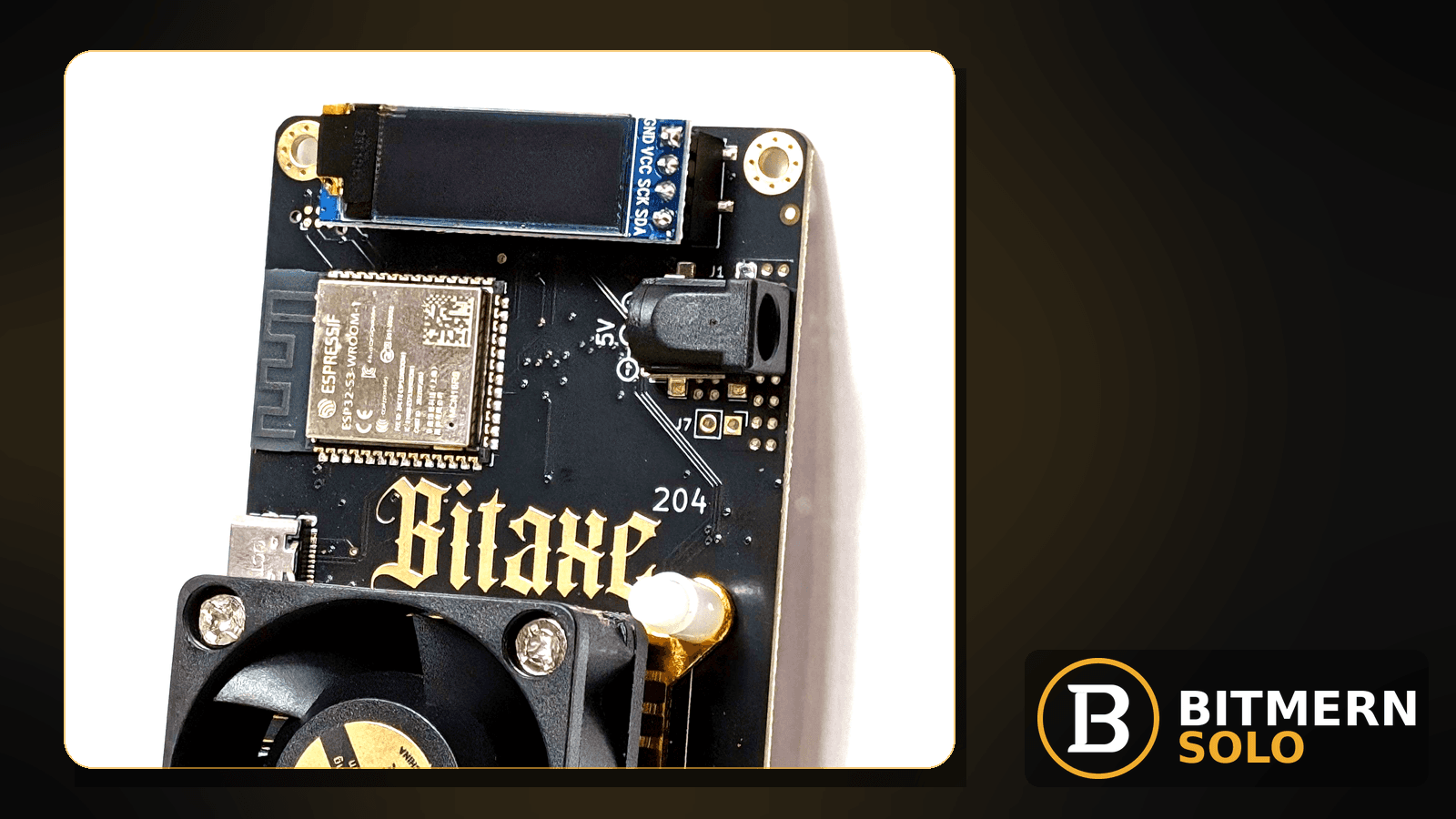
A board that is hot — or throttling under thermal pressure — can still show a worker row on Bitmern Solo while the hashrate card softens. That is not the same as a vanished worker, a reconnect storm, or a pure network path failure. Heat is a hardware-desk problem that leaks into the account as a softer rate, not as a missing map.
If your Bitaxe or home ASIC feels hot, fans scream, or firmware temp readings climb while Bitmern Solo still lists the worker, run an ordered thermal triage: ambient and enclosure, fan/dust path, power/overclock heat load, board temp vs dashboard rate, then stratum sanity on BTC easy-start :3132. Username WALLET.worker, password x. This post does not invent a Bitmern Solo product safe-°C SLA or throttle threshold.
This is the temperature / thermal-throttle checklist. Broader rate soft without a heat story: hashrate drop fix. Row gone: worker offline fix. Connect flaps: reconnect loops fix. Field wiring: AxeOS setup. Ports: VarDiff stratum ports.
Bitmern Solo is solo infrastructure: flat 1% fee on finds only, you keep 99%. Fee context stays light here — the job is clearing heat-driven soft hashrate so accepts stay useful on the matching coin tab.
Thermal throttle ≠ hashrate drop ≠ offline ≠ reconnect
Four patterns get mixed up:
- Generic hashrate drop — worker row still there; rate soft for many reasons (stratum, power, firmware, path). That is the hashrate drop path. Use this post when heat / throttle is the leading signal.
- Worker offline — row missing or marked offline. That is the worker offline path.
- Reconnect loops — stratum connects, drops, reconnects. That is the reconnect loops path.
- Temperature / thermal throttle — board hot, fan maxed, firmware temp climbing, rate soft while the worker still maps. That is this post.
Do not invent a Bitmern Solo product default that “above N°C the pool will reject shares.” Read the miner UI temp/fan fields, the live Workers / Hashrate view, and the ordered checklist below.
What usually drives heat-soft hashrate
Common causes on Bitaxe-class and small ASIC desks:
- High ambient / enclosure — desk in a hot room, closed shelf, or no exhaust path.
- Fan / dust path blocked — intake clogged, fan failing, heatsink packed.
- Power / overclock heat load — aggressive voltage/freq after a tune that the cooling cannot hold.
- Dashboard vs board mismatch — miner UI already throttled; account hashrate card lags one refresh — or the reverse.
- Wrong coin tab — you chase “heat drop” on LTC while the board is hashing BTC (or the reverse).
- Stratum noise on top of heat — bad port or flaps add soft rate after thermal already cut the board.
Separate these from a row that is simply gone (offline) and from pure reconnect flaps without a heat story (reconnect loops).
Ordered fix checklist
Run top to bottom. Stop when board temps calm (for your hardware’s normal range — not a product SLA), fans settle, and Bitmern Solo hashrate looks believable again on the matching coin tab while the board hashes.
1. Confirm you are not offline or in a pure reconnect storm
Symptom: Worker row missing/offline, or reconnect counters climbing with no heat story.
Action: Leave this article. Use worker offline or reconnect loops. Thermal triage assumes the worker maps and you are debugging heat-driven soft rate, not a missing row or a pure path flap.
2. Open the matching coin tab
Symptom: One coin tab looks soft while another coin is fine — or you assume the whole account cooled off.
Fix: Open the same coin the miner is pointed at. A BTC-pointed board will not populate LTC hashrate cards. Coin flips: switch coins.
3. Read board temp / fan before rewriting stratum
Symptom: Chassis hot to the touch, firmware temp high vs what you usually see, fan at max, or throttle messages in miner logs.
Fix: Note ambient room temp, whether the board sits in a closed shelf, and whether intake/exhaust is blocked. Clear dust, restore airflow, and give the board space. Do not invent a Bitmern Solo product “safe °C” guarantee — use your hardware vendor / AxeOS readings as the desk signal.
4. Compare board UI vs dashboard — throttle vs lag
Symptom: AxeOS shows throttle or falling hash; Bitmern Solo hashrate card looks behind — or the reverse.
Fix: Note both readings at the same moment. If the board already recovered after cooling and the account climbs on the next refresh, wait one cycle before rewriting known-good stratum fields. If the board still shows high temp / throttle while hashing soft, stay on thermal steps before you chase ports.
5. Reduce power / overclock heat load
Symptom: Soft rate started after a voltage/freq bump, undervolt experiment, or “max everything” profile.
Fix: Step back toward a cooler known-good profile for that board. Confirm the PSU can hold the load without brownouts that look like throttle. Heat from an aggressive tune is a desk problem — not a reason to invent a Bitmern Solo throttle SLA.
6. Lock BTC easy-start :3132 (never treat :3102 as default)
Symptom: After thermal calms, rate still soft because stratum/port noise remains — or you left easy-start during debugging.
Fix: Point BTC at:
stratum+tcp://btc.bitmernsolo.com:3132
Username: YOUR_WALLET.worker1 (or your preferred worker suffix after the dot). Password: exactly x.
Never treat :3102 as the Bitaxe / home default. Other VarDiff ports exist once the easy path is stable — see VarDiff ports. Heat triage first; port experiments after cooling is believable.
7. Username and password shape
Required:
WALLET.worker
password: x
Traps that scramble attribution while you chase “heat”: missing dot, spaces, underscore instead of the dot, wrong wallet prefix vs the registered receive address, password not exactly x, or watching the wrong suffix.
Field wiring: AxeOS setup. Naming depth: worker naming.
8. Kill failover slots that steal the session mid-cool-down
Symptom: Secondary pool stealing the session while you cool the board; Bitmern Solo rate looks soft even after temps drop.
Fix: Put Bitmern Solo on the primary (or only) pool slot. Clear or disable failover slots that point at a different host while you diagnose. Host must match the coin (btc.bitmernsolo.com for BTC). Save and apply. Deeper reconnect work: reconnect loops.
9. Prove it on the Bitmern Solo dashboard
Open the matching coin tab. Confirm:
- Worker row still present under the expected label
- Hashrate reading believable while the board hashes (and temps look calmer on the miner UI)
- Fresh accepts moving
- Current Effort leaving a stuck empty reading when attribution works
Card reading stays in the dashboard guide. Here you only verify heat-soft rate cleared on the account, not only on the miner UI.
When hashrate-drop or reconnect is the real story
If the worker row is fine but the rate fell without a heat / throttle story, switch to hashrate drop. If reconnect counters climb while temps look normal, use reconnect loops. Thermal triage is for heat-driven soft hash — not every soft number on the Hashrate card.
What this post will not invent
- No product default “safe °C” or “throttle above N°C” SLA for Bitmern Solo
- No confirmation-delay SLA for when the Hashrate card must match firmware
- No luck formulas, dollar EV, or find-time promises from a cooler board
- No claim that
:3102is the home Bitaxe default - No competitor fee comparisons
Fee reminder only if you need it: flat 1% on finds; you keep 99%. Heat is an ops signal, not a fee.
Soft next step
Clear airflow, calm temps on the board, lock BTC to :3132 with WALLET.worker / x, then confirm believable hashrate on the matching coin tab before you chase deeper hardware swaps.
Start mining
Start Mining — after login, open the matching coin tab and confirm workers / shares / hashrate.
FAQ
Is thermal throttle the same as a generic hashrate drop?
No. Hashrate drop covers many causes. Use this post when heat / throttle is the leading signal; use hashrate drop for the broader checklist.
What BTC port should a home Bitaxe use first?
:3132 on btc.bitmernsolo.com. Never treat :3102 as the Bitaxe / home default. See VarDiff ports.
What username and password does Bitmern Solo expect?
Username WALLET.worker (wallet prefix must match the registered receive wallet for that coin). Password x.
Does Bitmern Solo publish a safe temperature SLA?
No. This post does not invent a product °C guarantee. Use miner/firmware readings and vendor guidance at the desk.
How do I tell dashboard lag from real thermal soft rate?
Compare miner UI and Bitmern Solo at the same moment. Board already cooler and hash climbs on the next refresh → wait one cycle. Board still hot / throttling → stay on airflow and power steps.
Where does worker offline fit?
If the row is gone or marked offline, leave this article for the worker offline checklist.
Where do I confirm the fix on Bitmern Solo?
Matching coin tab → worker row → believable hashrate while board temps look calmer → fresh accepts. Guide: dashboard workers / shares / effort.


