


How to Read the Bitmern Solo Dashboard (Workers, Shares, Effort)
Connected ≠ done. After stratum, confirm worker, climbing shares, and Current Effort on Bitmern Solo. Empty 0 workers state, wallet.worker traps, BTC :3132.
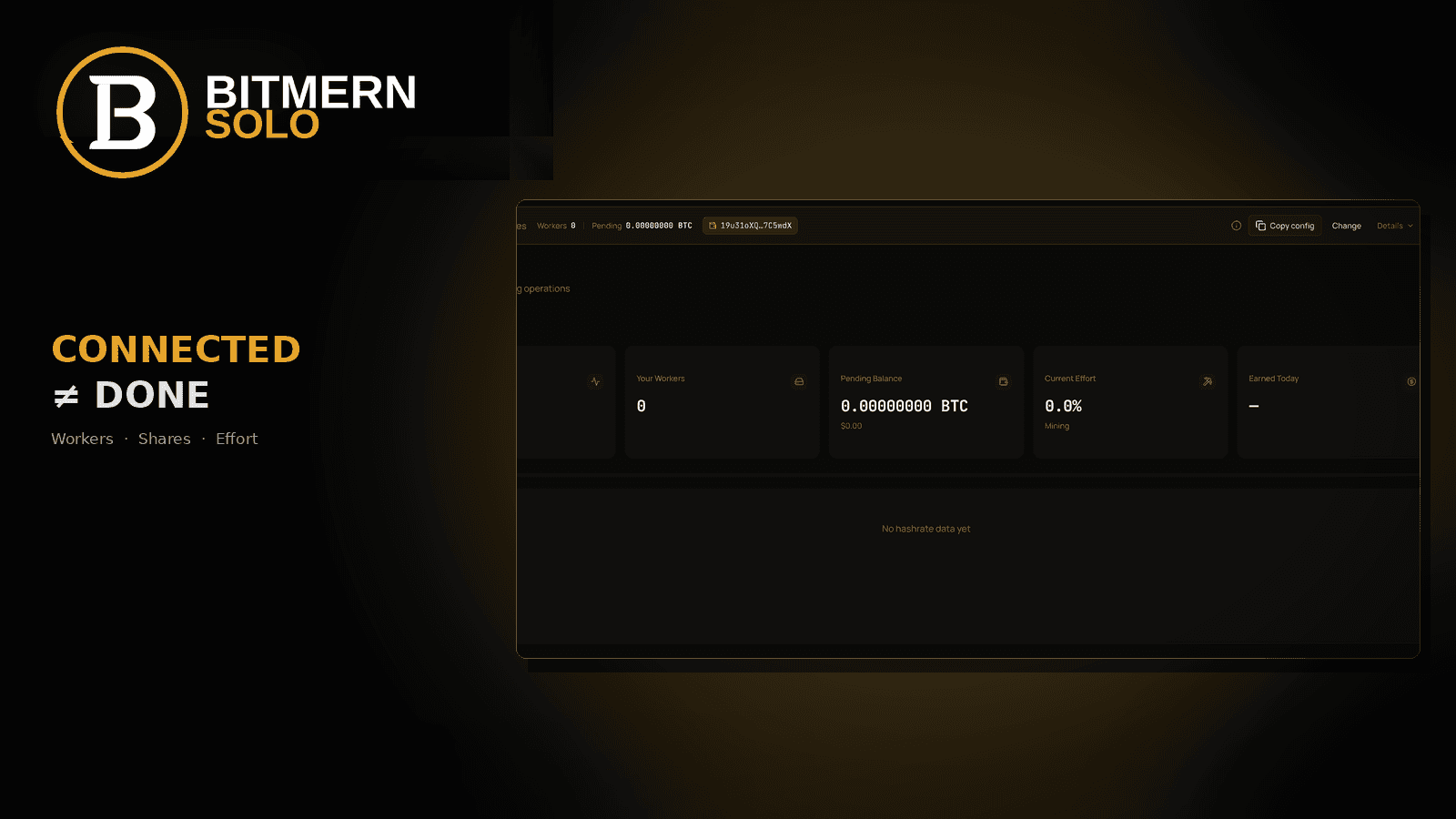
Pointing stratum is only half the job. A miner that “connected” in firmware can still leave your Bitmern Solo account empty until the worker maps, shares land, and effort moves.
After you point stratum, open the Bitmern Solo dashboard for that coin and confirm three live signals: your worker appears in the Workers table, Shares/s climb, and Current Effort updates off a stuck empty state if the board is hashing.
This guide is the post-stratum checklist - how to read the cards, what “0 workers / No hashrate data yet” means, and the username traps that hide a “working” ASIC from your login. It is not a second connect tutorial. Stratum fields: Connect Your ASIC. Bitaxe path: AxeOS setup. Ports (BTC easy-start :3132, never treat :3102 as the Bitaxe default): VarDiff & stratum ports.
Bitmern Solo is solo infrastructure: flat 1% fee, you keep 99% of blocks you find. The dashboard shows workers, shares, and effort without guessing from firmware alone.
Why connected is not done
Firmware “pool connected” and Bitmern Solo “worker visible” are different layers.
- The miner dials a host:port and authenticates with a username/password.
- The stratum accepts work and returns accepts or rejects.
- Your account only shows that activity when the wallet prefix on the miner matches a wallet you registered for that coin on Bitmern Solo.
If those layers disagree, you get the empty dashboard: coin tab open, Your Workers at 0, No hashrate data yet, Workers table waiting. That means “not mapped yet,” not “the product is broken.” Fix mapping and shares before you change stratum URLs.
Post-stratum checklist
Run this in order. Do not skip to Alerts or Payouts until workers and shares are healthy.
- Account + wallet registered - Bitmern Solo account exists; a receive wallet is saved for the coin you are mining. No KYC. One account covers supported coins; each coin needs its own correct address.
- Miner pointed - Stratum URL uses that coin’s host and a sensible VarDiff port. For BTC easy-start / Bitaxe-class hashrate:
stratum+tcp://btc.bitmernsolo.com:3132. UsernameYOUR_WALLET.worker1. Passwordx. Fee remains flat 1% / keep 99% on finds. - Open the dashboard - Sign in at bitmernsolo.com, pick the coin tab that matches the stratum host (BTC, BCH, LTC, DOGE, DGB, and other supported tabs as shown).
- Worker appears - Under Your Workers and in the Workers table, the suffix after the dot shows up (for example
worker1). Hashrate may take a short window to settle. - Shares increment - Watch Shares/s (column may read Share/s depending on build) and overall share activity. Accepts should climb while the board hashes.
- Effort moves - Current Effort should update as shares land. A stuck 0.0% with real hashing and climbing shares usually means wait/refresh or a mapping problem; a stuck 0 with 0 workers and No hashrate data yet means you are still empty - go back to wallet.worker and port.
Only after those six steps look sane should you lean on Payouts, Alerts, or Setup Guide for polish.
What you see on the dashboard
The live Bitmern Solo miner view is card-and-table layout: dark UI, one coin at a time.
Coin tabs
Across the top: tabs for BTC and other supported coins. Always select the coin that matches the stratum host you configured. A BTC-pointed board will not populate the LTC tab.
Summary cards
Card What it answers Your Hashrate Account-visible hashrate for this coin (may show 0 H/s until shares map) Your Workers Count of workers mapped to this wallet/coin Pending Balance Pending balance for this coin (zeros are normal before pending amounts) Current Effort Effort toward a solo find for the current cycle Earned Today Day earnings summary (can show a dash when nothing has settled)Empty-state reality check: Your Workers 0, zeros on pending, Current Effort 0.0%, Earned Today as a dash, and No hashrate data yet. That is the “connected ≠ done” view - not where you should stay after a correct point.
Action row and sidebar
Common controls from the product UI:
- Payouts - payout history / flows
- Alerts - notify when workers go quiet or hashrate drops
- Setup Guide - connect help when stratum still needs fixing
Sidebar areas you will use often: Miners, Earnings, Payouts, Pool Stats. Sidebar labels are navigation, not proof. Proof is workers + shares + effort on the coin tab you are mining.
Workers table and Recent Earnings
Workers columns to expect:
- Worker - the label after the dot in
WALLET.worker - Hashrate - per-worker rate once shares are attributed
- Shares/s (or Share/s) - share rate for that worker
Empty copy like “Waiting for worker data…” means nothing is attributed yet. Beside or below: Recent Earnings (time / amount / USD-style columns when present). “No earnings yet” is normal - prove the connect with workers and shares first.
How to read workers, shares, and effort together
Read the three signals as a stack.
Workers answer: “Is this account seeing my miner label for this coin?” If the table is empty, the stack never starts. Check coin tab, wallet registration, and username spelling before you chase VarDiff.
Shares answer: “Is useful work landing under that worker?” Climbing Shares/s means attribution is working. Firmware accepts with a blank Workers table still point at a wallet mismatch.
Effort answer: “Is the account accumulating solo effort from those shares?” Once hashing is attributed, Current Effort should leave a stuck empty reading. Effort is a health signal - not a find-time promise - and this post will not invent luck or dollar outcomes.
Healthy: worker row present → Shares/s non-zero while hashing → Current Effort moves. Unhealthy: firmware happy, dashboard empty, effort frozen because nothing mapped.
The wallet.worker spelling trap
Most blank-dashboard cases are username mistakes, not broken stratum hosts.
Required shape:
YOUR_WALLET.worker1
Password:
x
Traps that keep Your Workers at 0:
- Wrong address - typo, truncated bech32, or an exchange deposit string pasted as if it were the full receive address.
- Missing dot -
WALLET_worker1orWALLET worker1never becomes a worker label under the registered wallet. - Wrong separator - underscore or dash between wallet and worker instead of a single dot.
- Coin mismatch - BTC address on an LTC/DOGE stratum line, or a wallet registered under a different coin tab than the one you opened.
- Account mismatch - miner uses wallet A; you logged into an account that only registered wallet B.
- Extra junk - spaces, two dots, a second address glued on, or a password that is not exactly
x.
Symptom pattern: ASIC or Bitaxe shows connected / local accepts; Bitmern Solo stays at 0 workers and No hashrate data yet. Fix the username to match the registered wallet for that coin, save/apply on the miner, wait a few minutes, refresh the coin tab.
BTC port reminder while you verify
Dashboard empty checks often collide with a bad first port choice.
- BTC easy-start / Bitaxe default on Bitmern Solo:
stratum+tcp://btc.bitmernsolo.com:3132 - Never treat :3102 as the Bitaxe / easy-start default
- Username still
YOUR_WALLET.worker1, passwordx
Full VarDiff ladder: VarDiff ports. If the board never authenticates, fix stratum first (connect ASIC / AxeOS), then return here for workers, shares, and effort.
Empty state vs healthy state
Signal Empty / not done Healthy direction Your Workers 0 Count ≥ 1; row in Workers table Hashrate area No hashrate data yet / 0 H/s Chart or rate updates after shares map Shares/s Blank / waiting Increments while the miner hashes Current Effort Stuck 0.0% with no workers Moves as attributed shares land Recent Earnings No earnings yet Optional later; not required to prove connectDo not invent TH/s, luck, or USD figures - read the live cards. Turn on Alerts after the first clean worker row so the next silent failure pages you.
Soft next step
When the coin tab shows your worker, Shares/s climbing, and Current Effort updating while the board hashes, setup is verified on Bitmern Solo - not only on the miner UI. Add the next board the same way: same host and easy-start port, new worker suffix, password x, then confirm a new Workers row.
Flat 1% fee. You keep 99% of blocks you find.
Start mining
Create an account, register your coin wallet, point the miner, then stay on the dashboard until workers and shares agree.
Start Mining → https://www.bitmernsolo.com/
FAQ
Why does my miner say connected but Bitmern Solo shows 0 workers?
Firmware connected to a host:port. Your account only lists workers when the wallet prefix matches a registered wallet for that coin and shares are attributed. Fix YOUR_WALLET.worker1 spelling, coin tab, and registration - then refresh.
What does “No hashrate data yet” mean?
The dashboard has not received attributed hashrate for that coin yet. It is the normal empty state after login or before a correct point - not a find-time estimate.
Which BTC port should I use while verifying the dashboard?
Start on :3132 (stratum+tcp://btc.bitmernsolo.com:3132). Do not default to :3102 for Bitaxe / easy-start. Confirm workers and shares after that, then change VarDiff only if you need to.
What password does Bitmern Solo expect?
Exactly x. Not blank, not your exchange password, not a long random string.
Do I need earnings before I know setup worked?
No. Worker visible + shares climbing + Current Effort moving are the proof. Recent Earnings can stay empty until there is something to show.
Where do I change payout or alert settings?
Use Payouts and Alerts from the dashboard action row or the sidebar after the worker is healthy.


