


How to Connect Your ASIC to Bitmern Solo (Stratum Setup)
Point your ASIC at Bitmern Solo: set the coin stratum URL + VarDiff port, username = wallet.worker, password = x, then confirm shares on the dashboard.
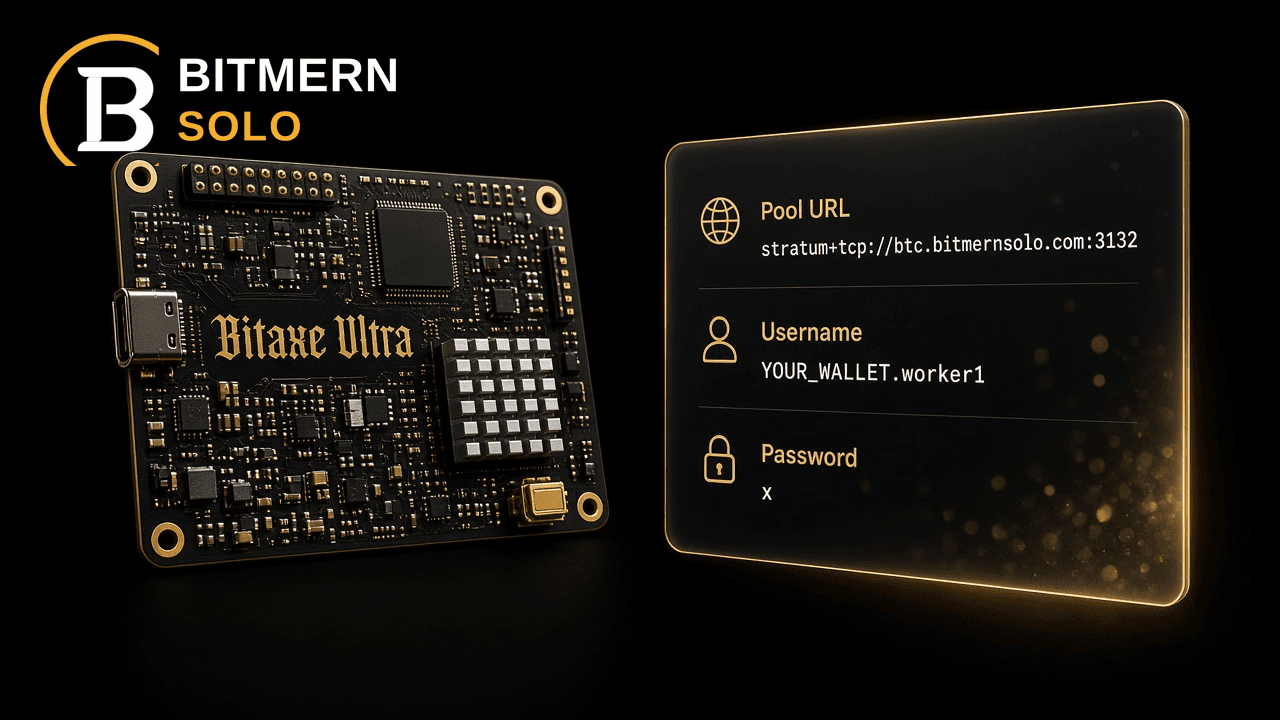
You have hardware ready. This guide gets it talking to Bitmern Solo's stratum so shares show up on your dashboard.
Set the pool URL to the coin's stratum host plus a VarDiff port (BTC default :3132), username = wallet.worker, password = x; confirm shares in the dashboard.
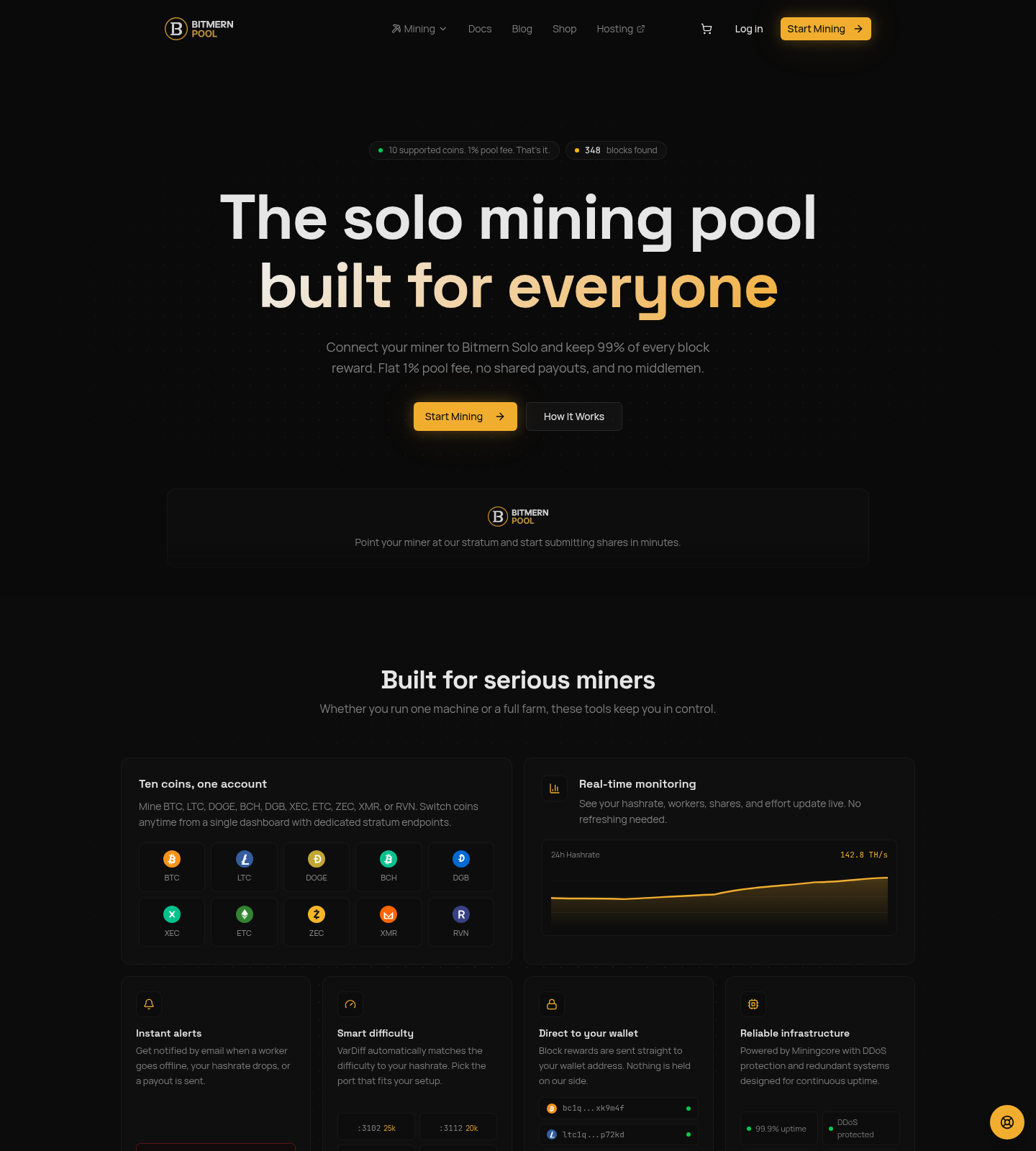
Bitmern Solo supports 10 coins at a flat 1% fee - you keep 99% of every block you find. No shared payout split. Create an account with email and a wallet per coin; no KYC. The steps below assume you already know which coin your miner can hash for, and that you can reach the miner's web UI or config file.
Before you start
Do these three checks before you touch stratum fields. Skipping them is the usual reason a "connected" miner never appears on the dashboard.
1. Account and wallets
Sign up at Bitmern Solo with an email address. Add a receive wallet for each coin you plan to mine. That address is what you use in the miner username. Rewards go straight to the wallet you register - nothing is held on the pool side for payout processing beyond the flat fee on blocks you find.
You do not need KYC or personal ID. One account covers all ten coins; you can switch coins later by pointing hardware at a different stratum host.
2. Coin matches hardware
Point SHA-256 ASICs at BTC, BCH, DGB, or XEC. Point Scrypt ASICs at LTC or DOGE. Etchash, Equihash, RandomX, and KawPow need hardware that speaks those algorithms (ETC, ZEC, XMR, RVN). A wrong algo pairing will not submit valid shares, no matter how clean your URL looks.
3. Network path to stratum
Your miner needs outbound TCP to the stratum host and port you choose. Firewalls, carrier-grade NAT, and closed outbound ports are common blockers. If the miner sits behind hosting gear, confirm the colo allows the port you pick.
Step-by-step: connect the miner
ASIC UIs differ (Antminer, Whatsminer, Braiins, custom firmware), but the three fields are the same everywhere. Use this annotated panel as the map, then enter the same values in your miner's pool settings:
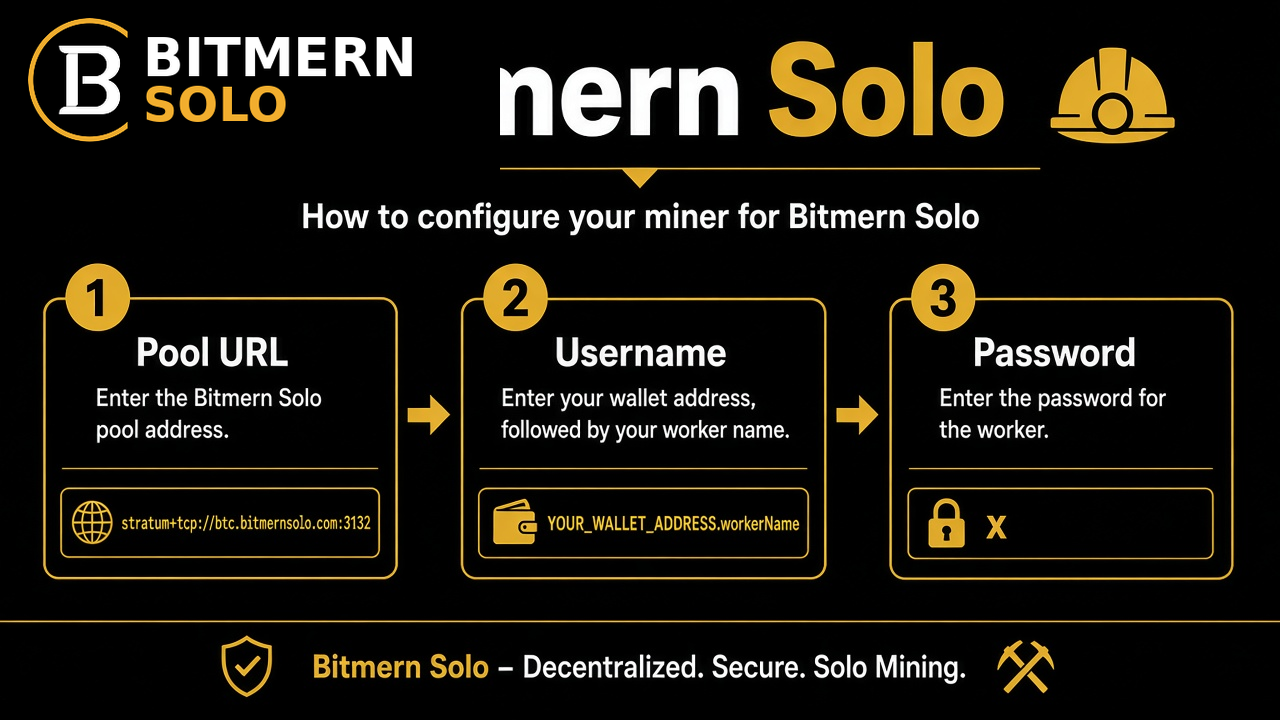
Step 1 - Pick the stratum URL
Format:
stratum+tcp://HOST:PORT
Example for Bitcoin on the recommended easy-start port:
stratum+tcp://btc.bitmernsolo.com:3132
Use the host for your coin and the recommended default port from the table below unless you already know you need a higher-difficulty VarDiff port for a large farm.
Paste that string into Pool 1 (or the primary stratum slot). Leave Pool 2 / Pool 3 empty until Pool 1 is proven, or point backups at the same host with a different VarDiff port if your firmware requires a secondary.
Step 2 - Username = wallet.workerName
Username format:
YOUR_WALLET_ADDRESS.workerName
Rules that matter:
- The wallet part must be a valid address for that coin, and it should match the wallet you added on your Bitmern Solo account for that coin.
- The worker name is a short label you choose (
rig1,s21-rack-a,home-bitaxe). It helps the dashboard separate machines. - Use a single period between wallet and worker. Do not add spaces.
Example shape (replace with your real address and label):
bc1qexamplewalletaddresshere.rig1
Step 3 - Password = x
Set the pool password to:
x
Bitmern Solo does not use a custom pool password for auth. A blank password, a reused exchange password, or a long random string is unnecessary and can confuse some firmwares. Use x.
Step 4 - Save and reboot / apply
Apply the pool config. Most ASICs reconnect within a minute or two. Watch the miner's own status page for "Accepted" shares or an equivalent success counter before you assume the dashboard is broken.
Default stratum table (recommended ports)
VarDiff matches difficulty to your hashrate over time. Each coin exposes several ports. Lower starting difficulty ports are easier for smaller or entry-level hardware to get first accepts. Higher starting difficulty ports suit larger hashrate once you are stable.
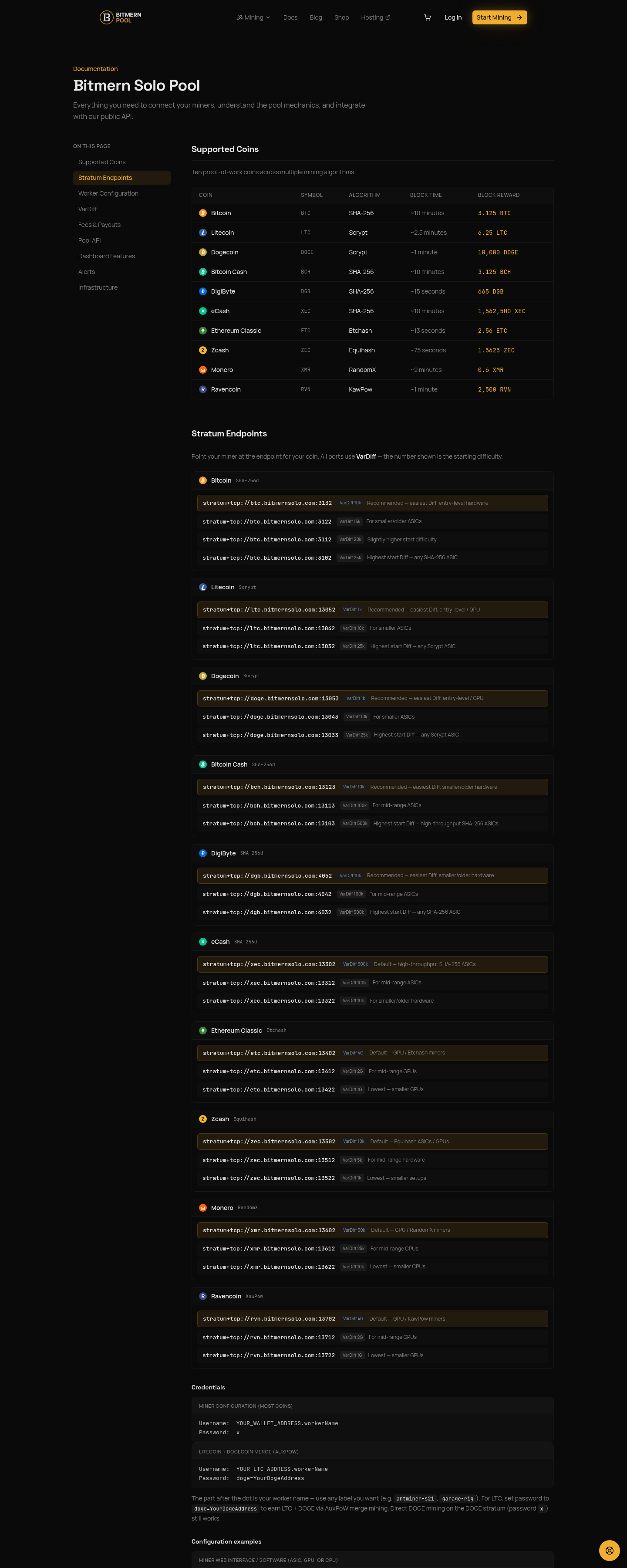
Callout: UI and docs screenshots may show other VarDiff ports (including alternate starting difficulties). Always verify live ports on bitmernsolo.com or the docs page. For this guide, stick to the recommended easy-start defaults in the table below - BTC :3132, not a higher-difficulty or alternate port, unless you already know your farm needs it.
For BTC, BCH, LTC, DOGE, and DGB, the defaults below are the locked easy-start ports. Other ports on the same host remain available for higher-hashrate setups. For XEC, ETC, ZEC, XMR, and RVN, the recommended default follows the same pattern: the highest-numbered (easiest Diff) port in the live Supported coins list.
Coin Recommended stratum URL (copy this) Other VarDiff ports on same host BTCstratum+tcp://btc.bitmernsolo.com:3132
3102, 3112, 3122
BCH
stratum+tcp://bch.bitmernsolo.com:13123
13103, 13113
LTC
stratum+tcp://ltc.bitmernsolo.com:13052
13032, 13042
DOGE
stratum+tcp://doge.bitmernsolo.com:13053
13033, 13043
DGB
stratum+tcp://dgb.bitmernsolo.com:4052
4032, 4042
XEC
stratum+tcp://xec.bitmernsolo.com:13322
13302, 13312
ETC
stratum+tcp://etc.bitmernsolo.com:13422
13402, 13412
ZEC
stratum+tcp://zec.bitmernsolo.com:13522
13502, 13512
XMR
stratum+tcp://xmr.bitmernsolo.com:13622
13602, 13612
RVN
stratum+tcp://rvn.bitmernsolo.com:13722
13702, 13712
Hosts and full port lists match the Supported coins table on bitmernsolo.com. If you move a large farm off the easy-start port, change only the port number on the same host - keep username and password the same.
Quick field checklist
Field Value Pool URLstratum+tcp://<coin-host>:<recommended-port>
Username
YOUR_WALLET_ADDRESS.workerName
Password
x
Confirm on the dashboard
After the miner shows accepted shares locally, open your Bitmern Solo dashboard.
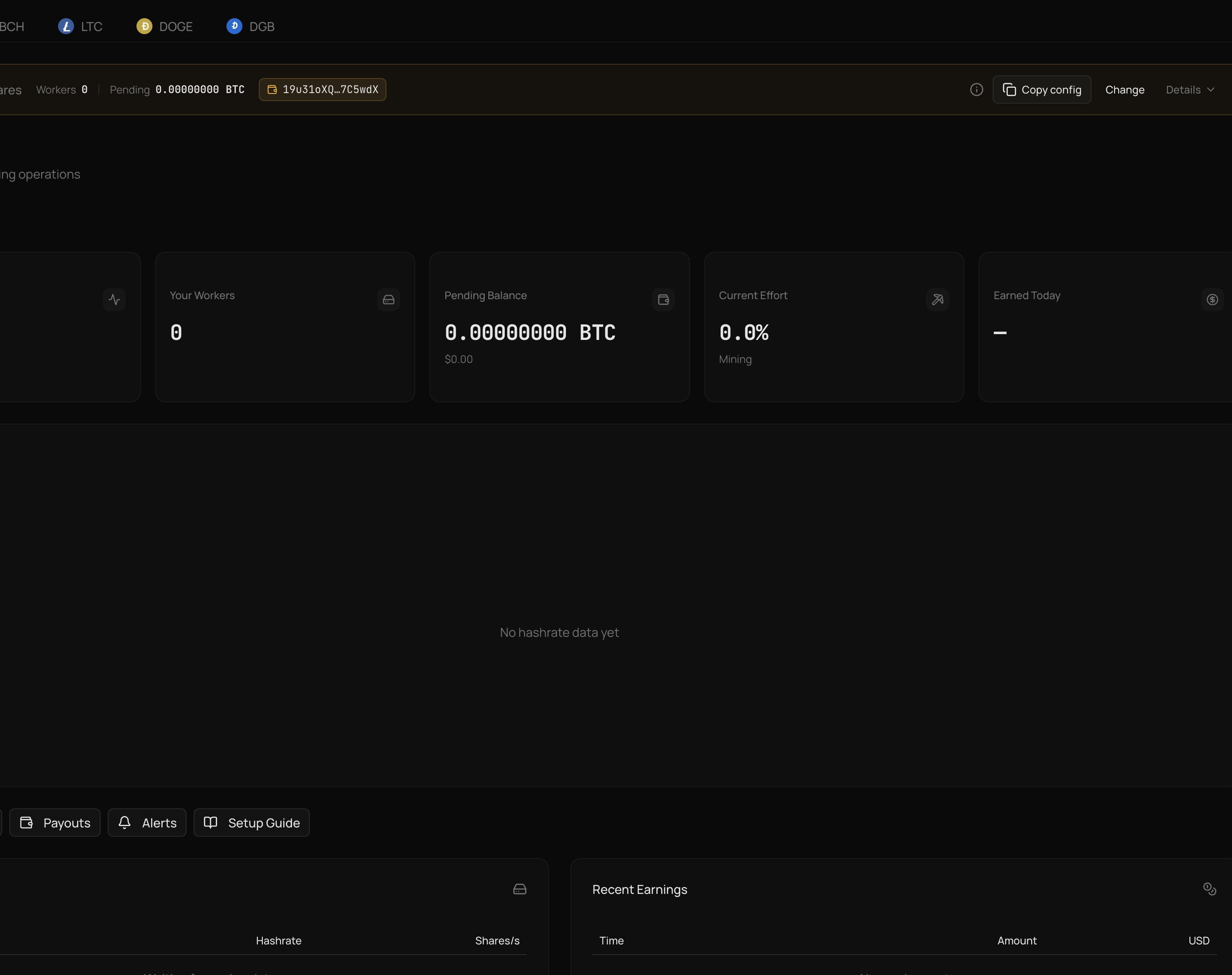
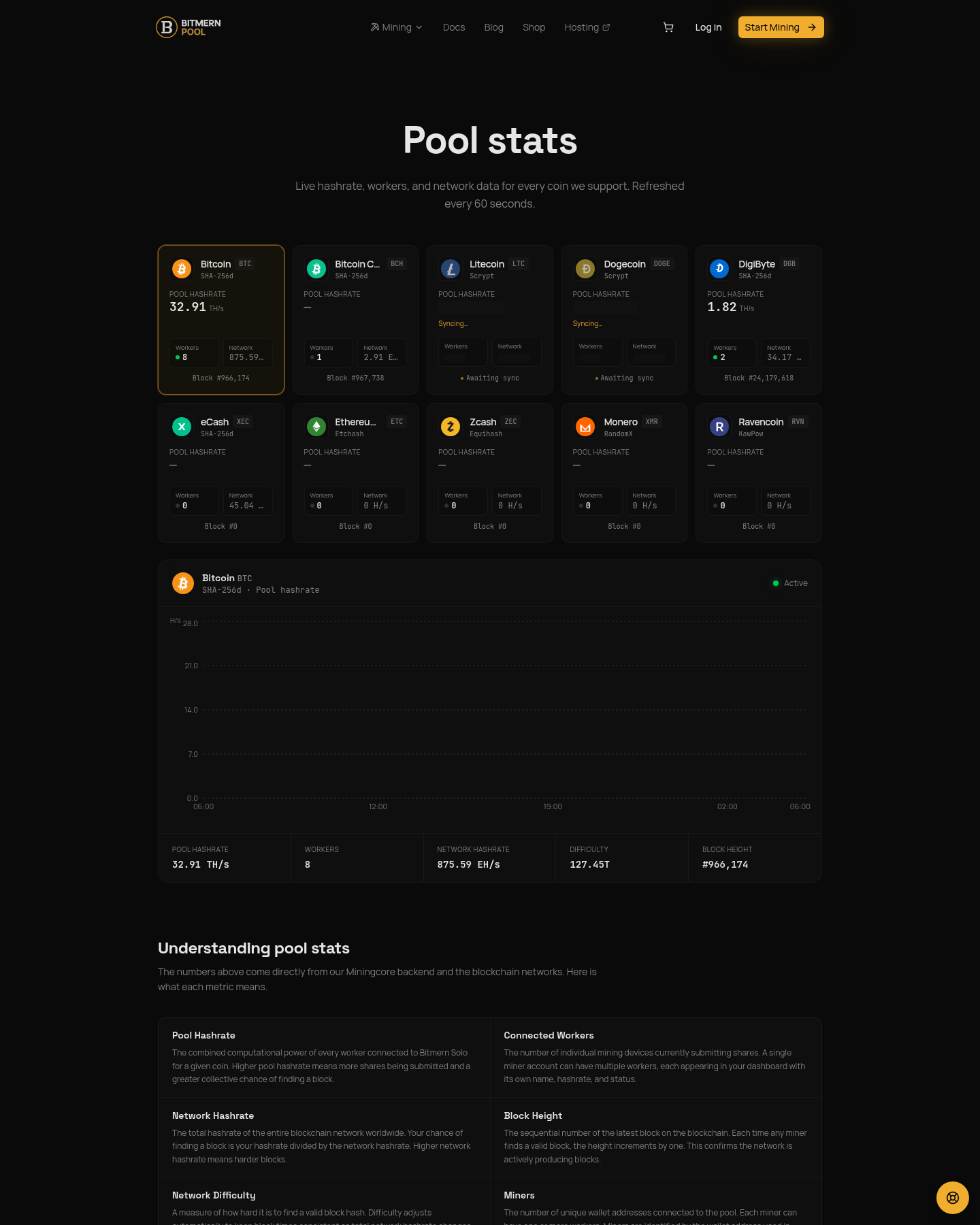
You should see:
- Workers - your
workerNamelisted as connected - Hashrate - reported hashrate for that worker (may take a short window to stabilize)
- Shares - accepted share counts increasing
- Effort - block effort for the coin you are mining
If the miner UI shows accepts but the dashboard is empty, wait a few minutes, then refresh. Confirm you used the same wallet address on the miner that you registered for that coin on the account. A typo in the wallet prefix creates a "working" miner that never maps to your login.
Email alerts (worker offline, hashrate drop, payout sent) are available once the account is active. Turn them on after the first clean connection so you are not paging yourself during setup.
Common fails and fixes
Wrong port or host
Symptoms: constant disconnects, no accepts, or "connection refused."
Fix: copy the full URL from the table - host and port together. Do not mix a BTC host with an LTC port. Do not invent ports. For BTC specifically, start on :3132, not a higher-difficulty port, unless you already know your farm needs it.
Username without worker suffix
Symptoms: connects, but workers are hard to tell apart; some firmwares reject the user string.
Fix: always use wallet.workerName. Pick a simple worker label with letters, numbers, and hyphens only.
Wallet does not match the coin
Symptoms: rejects, auth errors, or shares that never appear under your account.
Fix: BTC bech32 on BTC stratum, LTC address on LTC, and so on. Register that same address on the Bitmern Solo account for the coin.
Password not x
Symptoms: auth failure on firmwares that require a non-empty password.
Fix: set password to exactly x. Do not leave it blank, and do not reuse an exchange or wallet password.
Typo in the wallet address
Symptoms: miner shows accepts locally, but your Bitmern Solo account never lists the worker; or shares land under an address you do not control.
Fix: copy the receive address from your Bitmern Solo coin wallet settings and paste it into the miner username as WALLET.workerName. One wrong character is enough to orphan the worker. Re-check bech32 vs legacy format for that coin.
Firewall or hosting block
Symptoms: timeout to stratum; other sites still load from your laptop on the same network.
Fix: allow outbound TCP to the stratum host and chosen port from the miner VLAN. Ask the host if outbound mining ports are filtered.
Algo / coin mismatch
Symptoms: hashing locally with zero useful accepts.
Fix: confirm the ASIC (or GPU/CPU miner) algorithm matches the coin. Scrypt gear does not mine BTC; SHA-256 gear does not mine XMR.
Stale config / old pool still primary
Symptoms: hashrate still landing on a previous pool; Bitmern Solo dashboard idle.
Fix: ensure Bitmern Solo is Pool 1 (or the only enabled pool). Disable leftover URLs. Save, then hard-apply or reboot so the miner is not still bound to cached settings.
Multiple miners, one worker name
Symptoms: flapping worker status; confusing hashrate.
Fix: unique workerName per machine (rack1-01, rack1-02). Keep the same wallet prefix if they pay to one address.
What success looks like
Within a short window after a correct config:
- Miner UI shows accepted shares.
- Dashboard lists the worker.
- Hashrate and share counters move.
- Effort updates for that coin.
You are then mining solo through Bitmern Solo's stratum: shared infrastructure for connection and monitoring, with block rewards going to the finder at a flat 1% fee (99% to you). No invented luck odds or difficulty figures belong in that checklist - either shares land, or you debug the fields above until they do.
Soft next step
When Pool URL, username, and password x are set - and the dashboard shows shares - stratum setup is done. Add the next machine the same way: same host and recommended port for that coin (BTC stays on :3132 as the easy-start default), new worker suffix, password x.
Start mining
Create an account, register your coin wallets, and point your ASIC at Bitmern Solo.
Start Mining → https://www.bitmernsolo.com/


