


Workers Not Appearing on the Bitmern Solo Dashboard
If your Bitaxe or home ASIC “looks connected” but Bitmern Solo shows no worker, run an ordered empty-workers checklist: confirm the string…
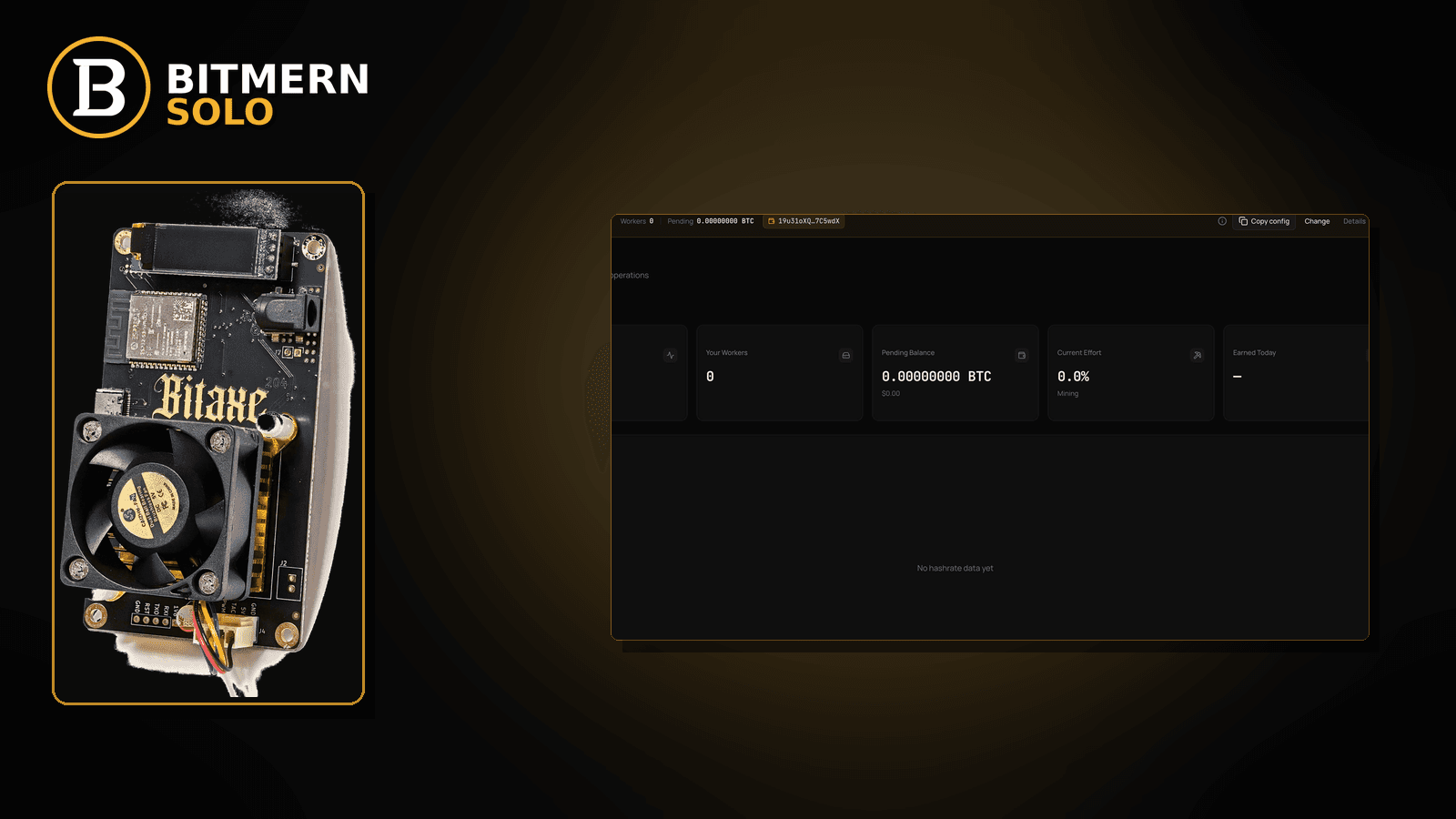
Firmware says connected. The stratum string looks familiar. The board is hashing. Yet the Bitmern Solo dashboard still shows no worker — empty workers list, blank cards, or a coin tab that never lights up under the label you expect.
If your Bitaxe or home ASIC “looks connected” but Bitmern Solo shows no worker, run an ordered empty-workers checklist: confirm the string (btc.bitmernsolo.com:3132 for BTC easy-start, WALLET.worker / x), open the matching coin tab, clear wrong-host / wrong-wallet / filter traps, wait for first attribution after a clean re-apply, then prove the worker row and fresh accepts. Never treat :3102 as the Bitaxe / home default. This post does not invent dashboard refresh SLAs or exact first-share delay promises. Current Effort is not a find guarantee.
This is the empty-workers / not-appearing lane. Worker was there then went dark: worker offline fix. Wrong coin tab selected: coin tabs explained. Two labels for one board: duplicate workers fix. Connected but no shares: Bitaxe no shares fix. Field wiring: connect ASIC.
Bitmern Solo is solo infrastructure: flat 1% fee on finds only, you keep 99%. Fee context stays light here — the job is getting the worker row to appear so you can read shares and effort.
Empty workers ≠ offline ≠ wrong tab ≠ duplicates ≠ no shares
Five patterns get mixed up:
- Workers not appearing — miner firmware may say connected, but the dashboard still has no worker row under the expected label. That is this post.
- Worker offline — a known worker card exists and then goes stale / offline. Use worker offline fix.
- Wrong coin tab — workers exist on another coin tab; you are watching the wrong one. Use coin tabs explained.
- Duplicate workers — multiple labels for one board confuse the list. Use duplicate workers fix.
- No shares after the worker appears — row exists; accepts never move. Use Bitaxe no shares fix.
Do not invent a Bitmern Solo “refresh every N seconds” SLA, a guaranteed first-share delay, or a claim that Current Effort predicts a find. The product facts that matter: per-coin hosts (for BTC, btc.bitmernsolo.com), BTC easy-start :3132, username WALLET.worker, password x. Current Effort is an ops readout, not a find guarantee.
What usually looks like “dashboard empty” when the board is hashing
Common empty-workers desks on Bitaxe-class and small ASIC setups:
- Wrong coin tab — BTC board; you stare at LTC (or another coin) and conclude “no workers.”
- Wrong host for the coin — miner points at a non-matching host while you watch the BTC tab (or the reverse).
- Delayed first attribution after a clean connect — session just landed; worker row has not shown yet; operators refresh-panic and change settings mid-flight.
- WALLET.worker mismatch — password is fine; username wallet prefix does not match the registered receive wallet, so attribution never lands on your account view.
- Filters / search hiding the row — UI filter still set to an old worker suffix from a previous board.
- Failover stealing — primary briefly hits Bitmern Solo; secondary pulls the board elsewhere before first attribution.
- Watching expected hashrate vs empty list — different problem once a row exists; see expected hashrate vs dashboard only after the worker appears.
Separate these from a worker that did appear and then went offline (worker offline fix).
Ordered fix checklist
Run top to bottom. Stop when the matching coin tab shows the worker under the expected label and fresh accepts move.
1. Confirm the stratum string is already correct
Symptom: You have never verified host/port/user/pass; “empty dashboard” is a guess.
Action: First pass host / port / user / pass cleanliness. For BTC easy-start:
stratum+tcp://btc.bitmernsolo.com:3132
WALLET.worker
password: x
Never treat :3102 as the Bitaxe / home default. Host must match the coin. Only after the string is clean do you treat an empty workers list as a dashboard / attribution problem.
2. Open the matching coin tab first
Symptom: Empty list on the tab you happen to have open.
Fix: Open the same coin the miner is pointed at. Coin-tab behavior: coin tabs explained. A BTC-pointed board will not populate LTC worker cards.
3. Clear dashboard filters / search that hide the worker
Symptom: Workers exist; a leftover filter or search string hides every row.
Fix: Clear worker search / filters. Look for the exact WALLET.worker suffix you configured. If two labels appear for one board, use duplicate workers fix.
4. Username and password shape (still required)
Required:
WALLET.worker
password: x
Traps that keep the dashboard empty while firmware “looks connected”: missing dot, spaces, wrong wallet prefix vs the registered receive address, password not exactly x, or watching the wrong worker suffix.
Field wiring: connect ASIC.
5. Primary slot only while diagnosing
Symptom: Primary points at Bitmern Solo; secondary still points elsewhere; Bitmern Solo never sees lasting attribution.
Fix: Put Bitmern Solo on the primary (or only) pool slot. Clear or disable failover slots that point elsewhere while you diagnose. Host must match the coin. Save and apply.
6. Re-apply and wait for first attribution (without inventing a clock)
Symptom: You just fixed the string; dashboard still empty for a short while; you keep changing settings.
Fix: Save pool settings, reboot or power-cycle once, then leave the board alone long enough for a new session and first attribution. Do not invent a Bitmern Solo “appears in N seconds” product SLA. If the worker still never appears after a clean re-apply and matching coin tab, keep walking the checklist — do not spam mid-flight config changes.
7. Separate “no worker” from “worker exists, no shares”
Symptom: Worker row finally appears; accepts stay at zero.
Fix: Leave this post and use Bitaxe no shares fix. Empty workers and empty shares are different lanes.
8. Separate “no worker” from “worker offline”
Symptom: You previously saw the card; now it shows offline / stale.
Fix: Use worker offline fix. This post is for never appearing / empty list first load.
9. Prove the worker on the Bitmern Solo dashboard
Open the matching coin tab. Confirm:
- Worker row present under the expected
WALLET.workerlabel - Fresh accepts moving (not stuck empty)
- Hashrate reading believable while the board hashes
- Current Effort leaving a stuck empty reading when attribution works
Current Effort ≠ find guarantee. It is an ops readout after work lands — not a promise that a block will appear.
Card reading: dashboard workers / shares / effort.
10. Soft fee reminder only after the worker appears
Fee reminder only if you need it: flat 1% on finds; you keep 99%. An appearing worker is an ops signal, not a fee.
When offline, coin tabs, duplicates, or no-shares is the real story
If a known worker went dark, switch to worker offline fix. If you were on the wrong tab, use coin tabs explained. If two labels fight for one board, use duplicate workers fix. If the row exists but shares never move, use Bitaxe no shares fix. First-time fields: connect ASIC.
What this post will not invent
- No Bitmern Solo dashboard “refresh every N seconds” product SLA
- No exact “first share within N seconds” guarantee after connect
- No claim that
:3102is the home Bitaxe default (easy-start is :3132) - No claim that Current Effort predicts or guarantees a find
- No luck formulas, dollar EV, or find-time promises from an appearing worker
- No competitor fee comparisons
Fee reminder: flat 1% on finds; you keep 99%. Seeing the worker is attribution, not luck math.
Quick retest sequence after a config change
After you fix host, coin tab, username, or failover, do not thrash settings forever. Use a short retest loop:
- Save the stratum string again (BTC easy-start still
btc.bitmernsolo.com:3132,WALLET.worker, passwordx). - Reboot or power-cycle the board so it opens a new session.
- Open the matching coin tab with filters cleared.
- Wait for the worker row + first accepts — without inventing a refresh SLA or luck promise.
If the worker appears then goes offline, leave this post and use worker offline fix. If the row appears but shares stay empty, use Bitaxe no shares fix.
Soft next step
Lock a correct stratum string (btc.bitmernsolo.com:3132 for BTC easy-start, WALLET.worker / x), open the matching coin tab, clear filters and failover noise, then confirm the worker row and first accepts before you chase offline or no-shares lanes.
Start mining
Start Mining — after login, open the matching coin tab and confirm workers / shares / hashrate.
FAQ
Firmware says connected — why is the dashboard still empty?
Connected on the miner is not the same as attribution on your account. Confirm host/port/user/pass, matching coin tab, cleared filters, and a clean re-apply. Then prove the worker row.
What BTC port should a home Bitaxe use first?
:3132 on btc.bitmernsolo.com. Never treat :3102 as the Bitaxe / home default.
What username and password does Bitmern Solo expect?
Username WALLET.worker (wallet prefix must match the registered receive wallet for that coin). Password exactly x.
Does Bitmern Solo guarantee how fast a worker appears after connect?
This guide does not invent a refresh SLA or first-share delay. Use the ordered checklist and prove the row on the matching coin tab.
Is Current Effort a find guarantee?
No. Current Effort is an ops readout after work lands. It is not a promise you will find a block.
Where do duplicate worker labels fit?
If more than one label shows for one board, use duplicate workers fix.
Where do I confirm the fix on Bitmern Solo?
Matching coin tab → worker row → fresh accepts → believable hashrate. Guide: dashboard workers / shares / effort.


