


Migrate Your Miners to Bitmern Solo (From Another Solo Pool)
To migrate to Bitmern Solo from another solo pool: create an account (no KYC in public framing), register a wallet per coin you mine, point each miner at that coin’s Bitmern Solo host (BTC home/Bitaxe start `:3132`),…
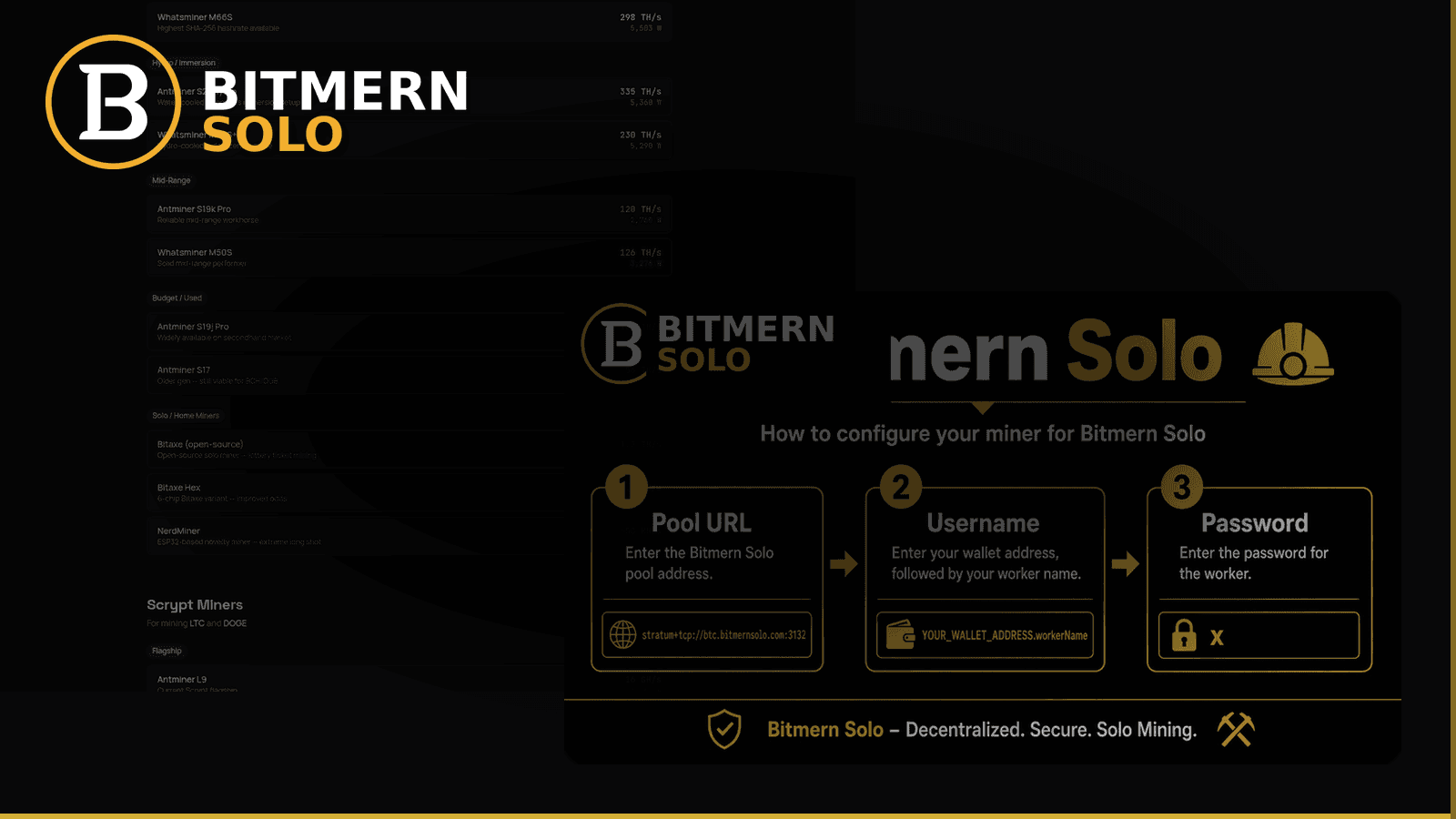
Moving a desk full of miners does not have to mean a day of silence. The clean path is checklist-shaped: register wallets on Bitmern Solo first, flip stratum per coin, verify shares on the matching dashboard tab, then decommission the old pool endpoints.
To migrate to Bitmern Solo from another solo pool: create an account (no KYC in public framing), register a wallet per coin you mine, point each miner at that coin’s Bitmern Solo host (BTC home/Bitaxe start :3132), username WALLET.worker, password x, confirm workers and climbing shares, then remove the old stratum URLs. Flat 1% fee on finds; you keep 99%. Ten coins: BTC LTC DOGE BCH DGB XEC ETC ZEC XMR RVN.
This is the flip playbook — not a full vs-competitor essay. Framing against other solo options (without inventing fee claims here): Bitmern Solo vs CK Pool vs Public Pool 2026. Field-level connect: Connect Your ASIC · Bitaxe AxeOS setup. Coin changes later: Switch coins. New account / wallets: Create account & add wallets.
Migration goals (in order)
- Zero mystery downtime - old pool stops only after Bitmern Solo shows the worker.
- Correct coin mapping - host, wallet, and dashboard tab agree.
- One account, ten coins - not ten signups.
- Honest fee model - flat 1% on finds; keep 99%. No invented competitor fee table in this post.
Before you touch stratum
1. Create the Bitmern Solo account
Sign up at bitmernsolo.com. Public framing: no KYC. Use an email you read — you will want alerts after miners are live.
2. Register a receive wallet per coin you will mine
Solo payouts go to the address in the username prefix. Register each coin’s wallet on the account before you point hardware. If you mine BTC and BCH, register both. Skipping this step is the classic “firmware connected, dashboard empty” trap.
Account walkthrough: create account & wallets.
3. Inventory miners by algorithm
Write a simple list: miner label → coin → old host:port → new Bitmern Solo host:port. SHA-256 Bitaxe-class boards only belong on SHA-256 endpoints (BTC / BCH / DGB / XEC family). Scrypt, Etchash, Equihash, RandomX, and KawPow need matching silicon — ten hosts on one account is not one board speaking ten algorithms.
Per-coin hosts (easy-start ports)
Use the dedicated host for each coin. BTC home / Bitaxe easy-start is :3132 — never treat :3102 as the default.
Coin Host Easy-start port BTCbtc.bitmernsolo.com
3132
LTC
ltc.bitmernsolo.com
13052
DOGE
doge.bitmernsolo.com
13053
BCH
bch.bitmernsolo.com
13123
DGB
dgb.bitmernsolo.com
4052
XEC
xec.bitmernsolo.com
13322
ETC
etc.bitmernsolo.com
13422
ZEC
zec.bitmernsolo.com
13522
XMR
xmr.bitmernsolo.com
13622
RVN
rvn.bitmernsolo.com
13722
Example BTC line:
stratum+tcp://btc.bitmernsolo.com:3132
username: YOUR_WALLET.worker1
password: x
VarDiff ladder after the easy path is stable: ports guide.
Flip checklist (per miner)
Run this per board so a fleet migrate stays calm.
A. Stage Bitmern Solo fields (do not save on the miner yet if you want overlap)
Copy host, port, WALLET.worker, password x. Confirm the wallet string matches the registered address for that coin.
B. Apply on the miner UI / config
Save/apply stratum. On Bitaxe, use AxeOS pool fields (AxeOS setup). On ASICs, use the pool slots your firmware exposes (connect ASIC).
Optional overlap tactic: if firmware supports multiple pool slots, put Bitmern Solo in the primary slot and leave the old pool as failover only until shares prove out — then clear failover. If you have a single slot, expect a short reconnect window; stage wallets first so that window is minutes, not hours of debugging.
C. Verify on the Bitmern Solo dashboard
- Open the matching coin tab.
- Confirm the worker suffix appears.
- Confirm shares climb while the board hashes.
- Glance at Current Effort as a third health signal (effort explained · dashboard guide).
If firmware looks happy and the dashboard stays at 0 workers, fix username mapping before you blame the old pool or Bitmern Solo hosts.
D. Decommission old endpoints
Only after Bitmern Solo shows the worker and climbing shares: remove the previous solo-pool URL from primary and failover slots. Leaving a stale primary that wins reconnect races is how miners “mysteriously” leave Bitmern Solo overnight.
E. Turn on alerts
Enable worker offline, hashrate drop, and payout sent once the row is healthy (email alerts).
Fleet tips (multiple boards)
- Reuse the same coin host/port; change only the worker suffix (
worker1,worker2, …). - Keep a spreadsheet of wallet prefixes per coin so you never paste an exchange deposit typo mid-migrate.
- Migrate one pilot miner fully (verify dashboard) before batching the rest.
- For Bitaxe fleets, stay on :3132 for BTC until the pilot is clean — do not “optimize” ports mid-cutover (multiple Bitaxe fleet).
Common migrate mistakes
Pointing before wallet registration. Dashboard empty; panic revert to old pool. Fix: register wallet first.
BTC on :3102 as “the” port. Home Bitaxe loops or looks dead. Fix: :3132. Never treat :3102 as default.
Wrong coin host for the silicon. SHA-256 board on LTC/XMR endpoints. Fix: match algo family.
Old pool left as primary. Miner fails over away from Bitmern Solo. Fix: clear old URLs after verify.
Expecting pooled-style balance. Solo pays on your finds (flat 1% / keep 99%). Effort and shares are health signals — not a shared balance meter.
Pilot then roll (recommended timeline)
- Hour 0 - Account + wallets registered for coins you actually run.
- Hour 0–1 - Migrate one pilot miner; watch Bitmern Solo until worker + shares are clean for 15–30 minutes.
- Next window - Batch the same-coin fleet with unique worker suffixes.
- Final pass - Clear old pool URLs; enable alerts; screenshot or note the live worker list for your records.
Do not migrate every board in parallel on day one if you have never used Bitmern Solo before. One clean pilot teaches username mistakes faster than ten simultaneous empty tabs.
After migrate: first-week hygiene
- Confirm each coin tab you use still shows workers after a router reboot.
- Keep BTC home/Bitaxe on :3132 unless you have a deliberate VarDiff reason to move.
- If rejects spike after the flip, use the rejected shares checklist — do not immediately bounce back to the old pool without checking port and wallet.worker.
- If accepts never appear, use no-shares fix before you assume Bitmern Solo is “down.”
Fee and product framing (no invented competitor numbers)
Bitmern Solo: flat 1% on finds; miner keeps 99%. Ten coins on one account. No KYC in public framing. For qualitative vs other solo pools, use the existing vs CK / Public Pool 2026 article — this migrate guide will not invent competitor fee claims.
Soft next step
Create the account, register wallets for the coins you actually mine, flip one pilot miner to the matching host (BTC start :3132), verify workers and shares, then roll the fleet and delete old stratum lines.
Start mining
Start Mining → https://www.bitmernsolo.com/
FAQ
Do I need a new account per coin when migrating?
No. One account covers BTC, LTC, DOGE, BCH, DGB, XEC, ETC, ZEC, XMR, and RVN. Register a wallet per coin you mine.
What are the BTC stratum settings for a home Bitaxe?
stratum+tcp://btc.bitmernsolo.com:3132, username WALLET.worker, password x. Never treat :3102 as the Bitaxe / home default.
When should I remove the old pool URL?
After the Bitmern Solo coin tab shows your worker and climbing shares. Then clear old primary/failover endpoints so reconnects stay on Bitmern Solo.
Is there KYC to migrate?
Public framing: no KYC. Create an account, add wallets, point stratum.
What is the fee after I switch?
Flat 1% on finds; you keep 99%. Migration does not add a second fee.


